Security by design. Privacy by default.
SupportContact salesWeb vault ↗

Personal

A safer way to keep every password you use

KeyCare Pass remembers your passwords, passkeys, cards and notes, fills them in for you, and keeps them encrypted so only you can read them.

US$ 1 per month

Get Premium

One person, billed annually

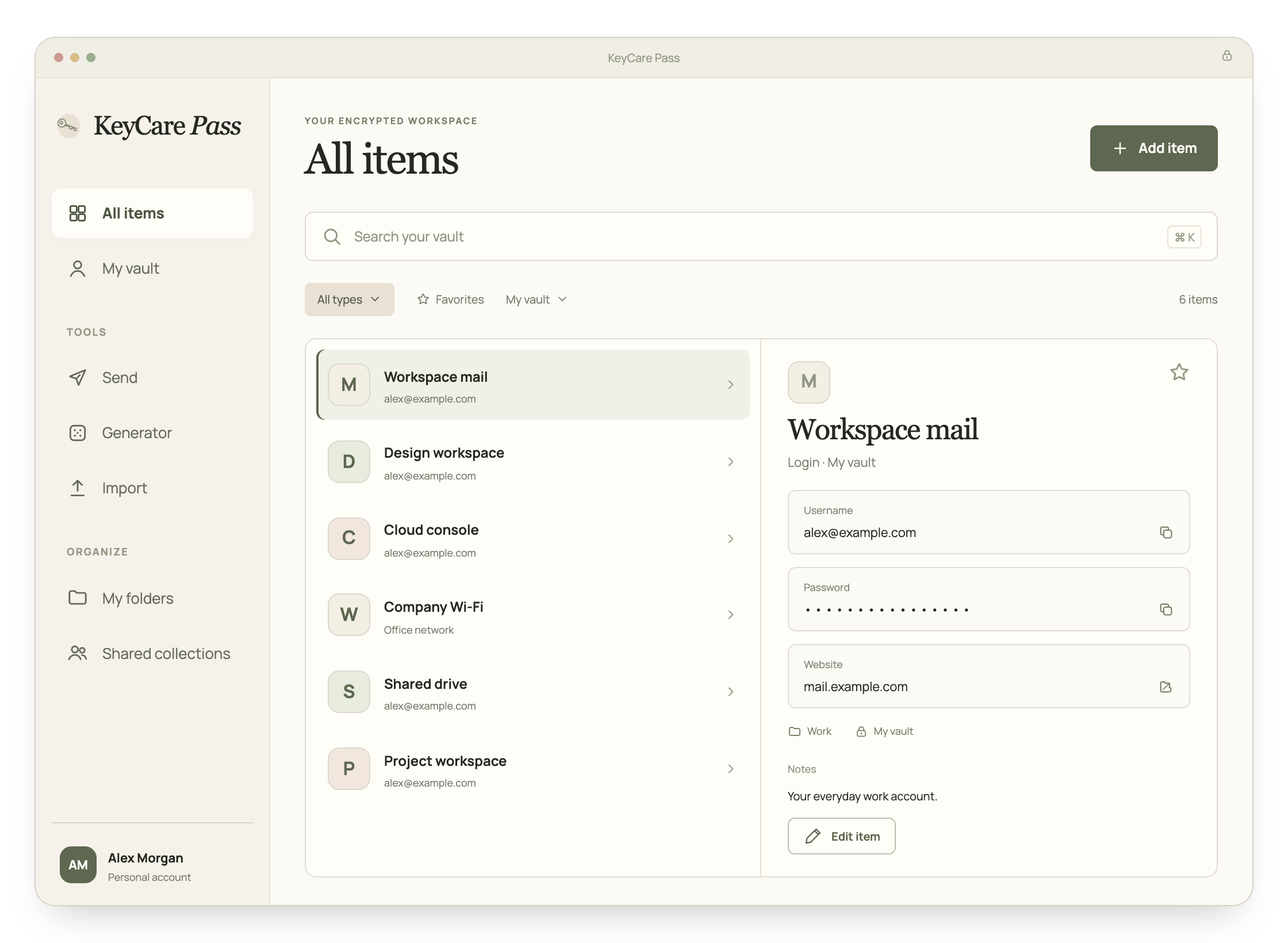
KeyCare Pass vault replica with a sidebar, demonstration logins and the selected login details.
  • End-to-end encrypted
  • Private by design
  • Hosted in Europe
  • Self-hosting available
  • Passkeys built in

Everything in one vault

Logins, passkeys, cards, identities, secure notes and SSH keys, each with its own colour so you find it at a glance.

KeyCare Pass vault replica with a sidebar, demonstration logins and the selected login details.

The basics, done properly

Autofill and autosave

Fill logins, cards and identities on any website, and save new logins the moment you create them.

Learn more

Strong passwords on demand

Generate random passwords up to 128 characters, passphrases of real words, or usernames.

Learn more

Passkeys

Save passkeys for websites in your vault, and sign in to KeyCare Pass itself with a passkey.

Learn more

Vault health

Spot weak, reused and exposed passwords, and websites still on plain HTTP.

Learn more

Send

Share a password without leaving a copy behind

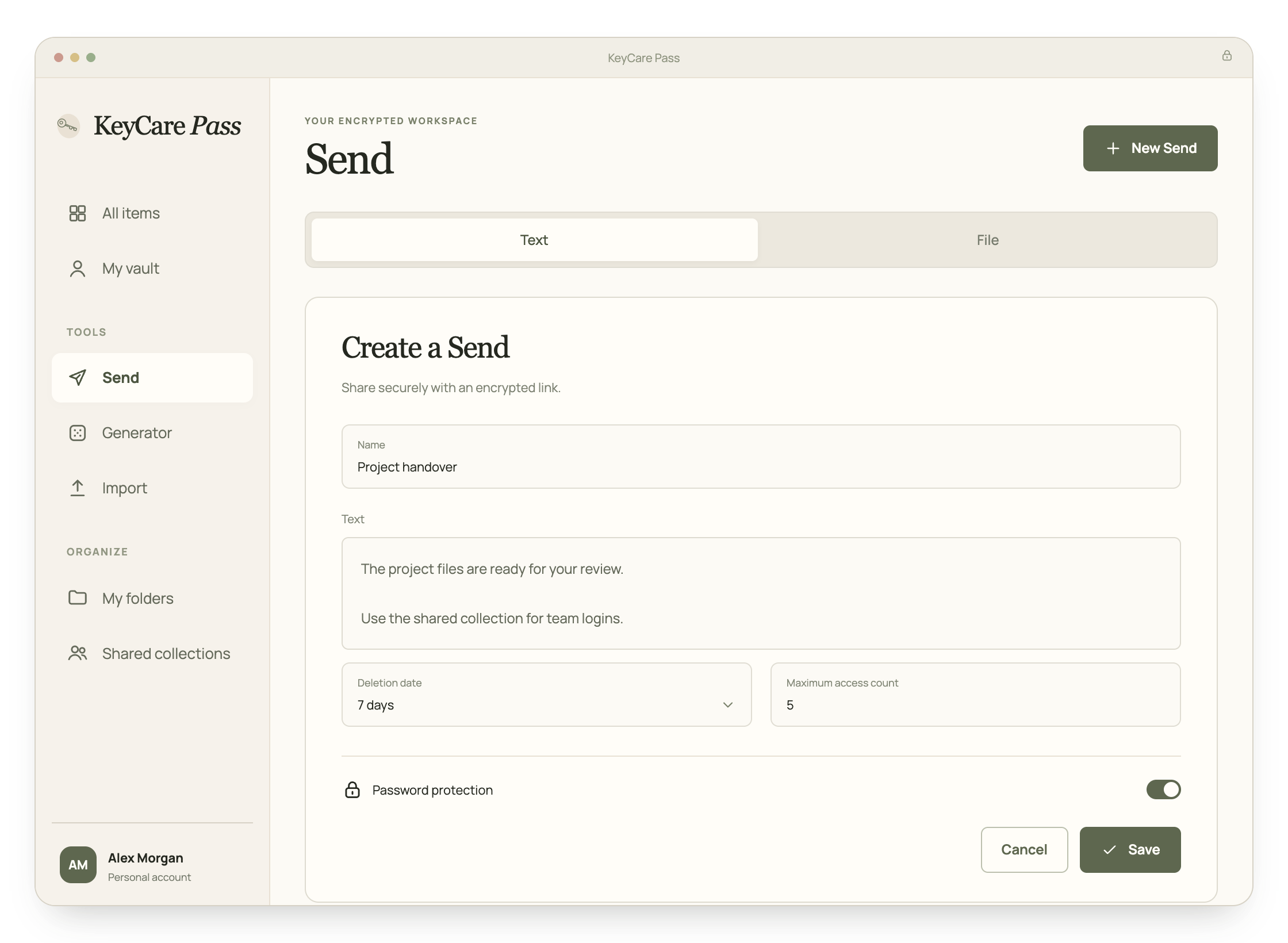
Send turns a note or a file into an encrypted link. Set when it is deleted, how many times it can be opened and whether it needs a password. The person you send it to does not need an account.

More about Send
Designed KeyCare Pass Send preview with text, deletion date and access limits.

Emergency access

Let someone you trust step in

Choose a trusted person who can ask for access to your vault if something happens to you. You decide whether they can view it or take it over, and how long they wait. If you are fine, you simply reject the request.

How emergency access works

Authenticator

Two-step codes, next to the password they belong to

Add the setup key from a website's two-step login and KeyCare Pass shows its six-digit code, and can copy it for you after autofill.

Authenticator codes

More than passwords

Files, cards and the details you type every day

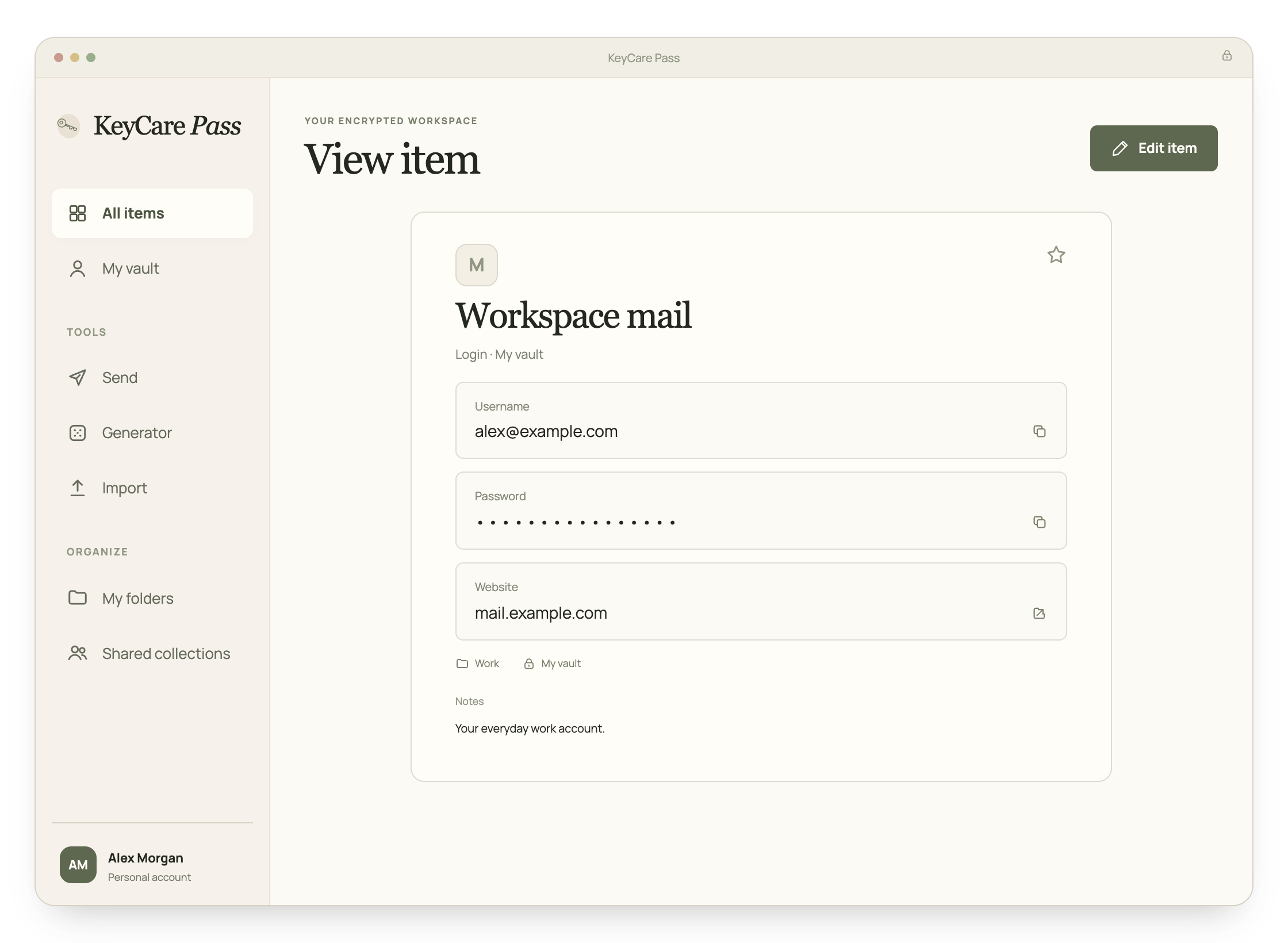
Attach files to any item, with 1 GB of encrypted storage. Keep card numbers and identities ready to fill at checkout.

Designed KeyCare Pass login preview with username, masked password, website and folder controls.

Sharing a home? Share a plan.

Families covers up to five people for US$ 60 a year. Everyone gets Premium and a private vault, and you share what you choose in household collections.

Choose your plan

Both plans include every feature. Families covers up to five people.

Premium

For one person.

US$1per monthUS$12 billed annually

Available on an annual plan

1 person

Includes:

  • Unlimited passwords, passkeys, cards and secure notes
  • No device limit: the web vault and the browser extension wherever you sign in
  • Built-in authenticator codes
  • 1 GB of encrypted file attachments
  • Two-step login with authenticator apps, email or security keys
  • Emergency access for people you trust
  • Vault health reports: weak, reused and exposed passwords

Compare plans in detail

Frequently asked questions

What does Premium cost?

Premium costs US$ 12 a year for one person. PayFast charges the disclosed South African rand equivalent by card or Instant EFT; check the final rand amount before paying.

What happens to my vault if my plan ends?

Your vault stays safe and you can still sign in to the web vault to open, export or delete what you stored. The browser extension will not sign in, and changes cannot be saved, until you choose a plan again.

How does KeyCare Pass fill in my passwords?

The browser extension recognises login forms and suggests the logins that match the website. Fill them with a click or the keyboard shortcut Ctrl+Shift+L (Cmd+Shift+L on a Mac). When you sign in somewhere new, it offers to save the login.

Can I keep using my browser's saved passwords?

You can, but two password managers in one browser get in each other's way. Export the passwords your browser saved, import them into KeyCare Pass, and turn off the browser's own password saving. The help center shows how.

What if I forget my master password?

Nobody can reset it for you, not even GovPAM, because nobody else has it. Choose a long passphrase you will remember, add a hint that only you understand, and set up emergency access so a trusted person can help if something happens to you.

Put your passwords somewhere safe

Create your account, then choose Premium or Families.